



01
Upload Your Room
Upload a clear room photo.
Upload a photo of your space, choose your style, and generate realistic interior design ideas instantly. Refine the result until it matches your vision.
Upload a clear room photo.
Pick the look you want.
Create realistic AI concepts.
Adjust it with simple prompts.
Save your favorite version.
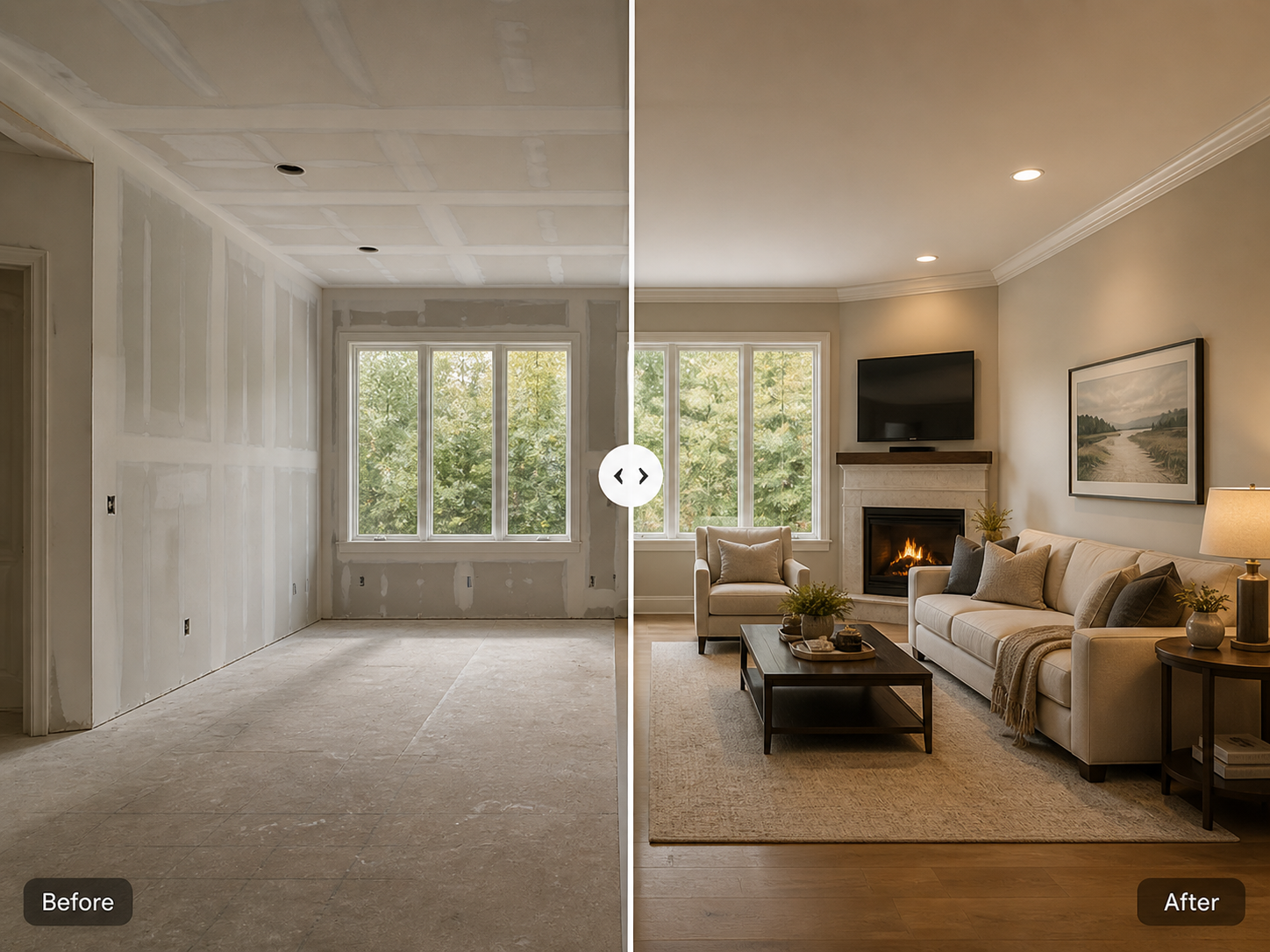
Explore realistic AI redesign examples across kitchens, living rooms, bedrooms, bathrooms, and workspaces.
Original
AI Redesign
Start with one photo and refine your result with simple prompts.
AI-generated design concepts. Results may vary depending on photo quality and room structure.
Compare multiple aesthetics against the same source photo to find the mood, materials, and direction that feel right for your space.
Choose the perfect plan for your design projects.
Savings are per generation, compared with the Starter pack.
Simple answers before you start redesigning your room.
Yes. Just upload a clear photo of your kitchen, living room, bedroom, bathroom, office, or any interior space you want to redesign.
A bright, clear photo works best. Try to take the picture from a straight angle and include as much of the room as possible.
Yes. You can choose styles like Modern, Luxury, Minimalist, Scandinavian, Japandi, Industrial, Farmhouse, or Mediterranean.
You can refine it. For example, you can ask for changes like “make it brighter,” “use warm wood,” “keep the same floor,” or “make it more luxurious.”
Yes. You can create multiple versions and compare different styles before choosing your favorite one.
The AI tries to keep the same room layout, camera angle, walls, windows, and main structure. The result may vary depending on the photo quality.
Yes, you can ask the AI to remove or replace objects, but the result depends on the image and the instruction you provide.
Yes, you can use it as visual inspiration for your renovation or decoration project. It helps you explain your idea to a contractor, designer, or furniture seller.
No. The result is a visual design concept, not a technical drawing or construction plan. For measurements, permits, plumbing, electrical work, or structural changes, you should ask a qualified professional.
The result is generated in a short time after you upload your photo and choose your style. The exact time can depend on image size and server speed.
You can start quickly. Creating an account may be needed to save your projects, credits, or download history.
Design credits are used to create or refine your room designs. Each new generation or refinement uses credits from your balance.
Yes. Once you get a result you like, you can download it and use it as inspiration for your project.
Yes. You can upload different rooms and test different styles depending on your available credits.
Not exactly. Every room is different. The examples show the type of transformation you can expect, but your result depends on your photo, selected style, and instructions.
You can refine the result and ask the AI to remove it or change it. For example: “remove the plant,” “remove the table,” or “keep the room more minimal.”
Yes. You can write instructions like “keep the floor,” “keep the window,” “keep the wall color,” or “change only the furniture.”
No. It can be useful for homeowners, renters, real estate visuals, content creators, small studios, or anyone who wants to explore interior design ideas.
Yes. It can help you test colors, furniture styles, materials, and room mood before spending money.
Try using a clearer photo and a more specific instruction. For example, instead of “make it nice,” write “modern warm living room with beige sofa, wood table, soft lighting, and minimal decoration.”